Is Tasks.Bot Good for Voice and Text Task Creation Software
Your team already lives in WhatsApp, so why are tasks scattered across three other apps? Voice notes and texts get buried, and field staff miss assignments they never saw. That gap costs hours every week.
This article examines whether Tasks.Bot handles voice and text task creation well. You will learn how voice notes become assigned tasks, how text approvals and reminders work, what field teams get with GPS and attendance, plus pricing, trial details, and who should skip it.
What Is Tasks.Bot and Who Is It Built For?
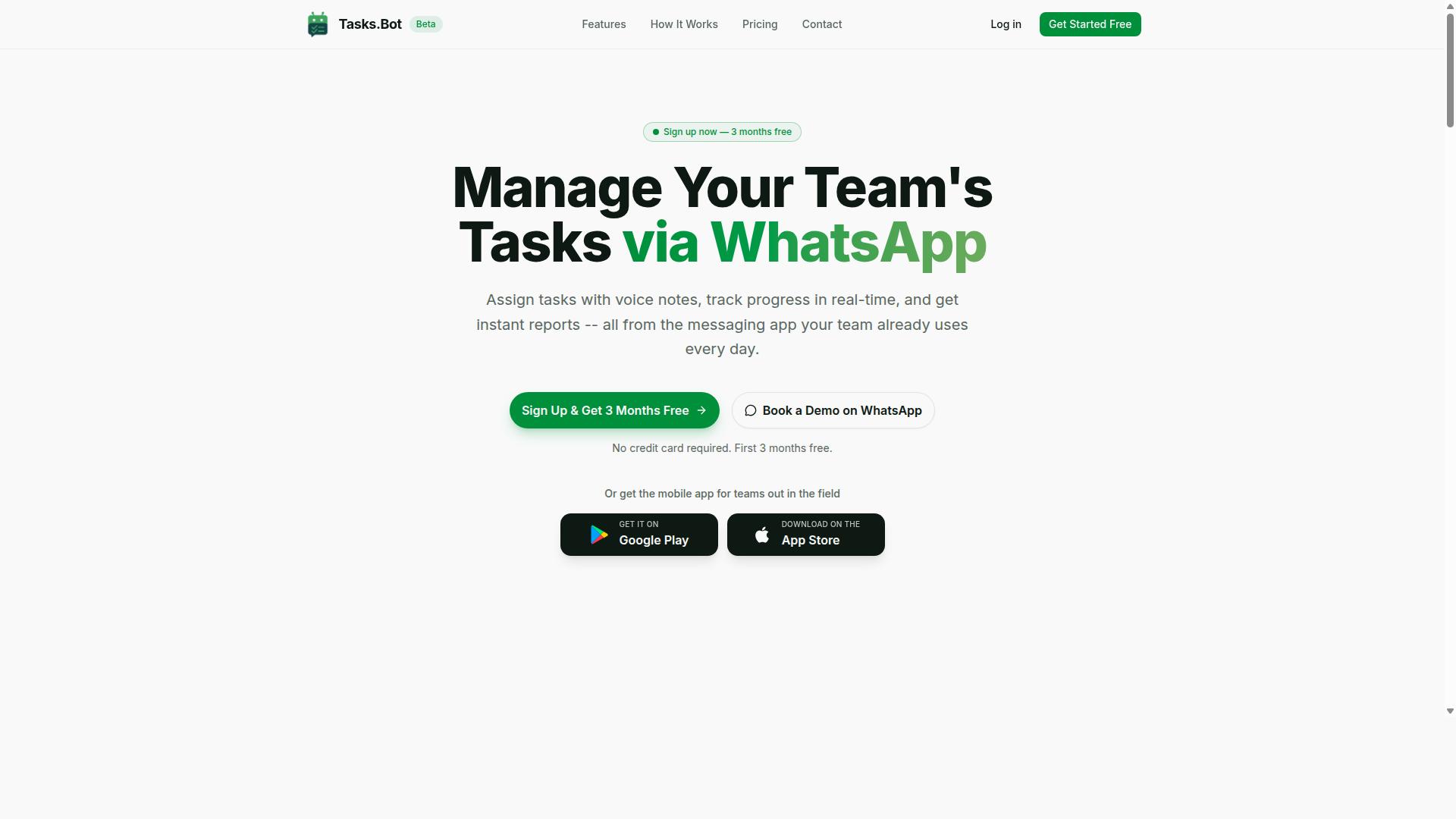
Tasks.Bot is a task management platform that operates entirely within WhatsApp, enabling teams to assign tasks, track progress, and receive reports without leaving the messaging app.
Most task management software asks people to change their habits. It requires a download, a login, a notification to manage, and a new place to check every day. Tasks.Bot takes the opposite approach by meeting teams where they already spend their working hours: inside a messaging app they already know.
That design choice matters for voice and text task creation in particular. When the interface is a chat window, sending a voice note or typing a quick instruction feels natural rather than technical. There is no form to fill out and no dashboard to learn first.
Tasks.Bot is built for a specific kind of team rather than for everyone. Two characteristics define its audience:
- WhatsApp-first communication. The platform suits groups that already coordinate daily through chat, from small businesses to larger operations.
- Field-based work. Teams with staff on the move need task management, attendance tracking, and payroll-ready hours accessible from a phone.
The service is currently in beta and offers a free trial period, with a 3-month free trial that requires no credit card. According to the brand, hundreds of teams already use it. The sections below examine how the WhatsApp-native model works and which teams get the most from it.
Task management that runs entirely inside WhatsApp
Unlike traditional task management tools that require a separate app, Tasks.Bot functions as a chatbot within WhatsApp, letting users create, assign, and track tasks through simple messages.
Every core action happens in the conversation. A manager sends a message, the bot responds, and the task exists. There is no separate dashboard to configure before the first task goes out, and no onboarding session to schedule before work begins.
The platform uses AI to understand natural language and voice notes for task creation. That means a user can speak an instruction or type it in ordinary wording, and the system interprets the intent rather than demanding a rigid command format. This is the heart of what makes it a practical voice and text task creation tool: the input method matches how people already talk about work.
Adoption friction drops sharply under this model. Team members do not need to install anything or create new accounts, because the tool lives in an app they already have open. For a supervisor explaining a process to a new hire, that removes an entire training step.
Tasks.Bot also offers a mobile app for field teams, but the core experience remains in WhatsApp. Security is handled with enterprise-grade encryption, and the brand states that conversations and task data are never shared or used for training. For teams weighing a move to chat-based workflow management, that combination of familiar interface and stated data handling is the central appeal.
Who it serves: teams with field staff and WhatsApp-first communication
Tasks.Bot is designed for teams that rely on WhatsApp for daily communication, particularly those with field staff who need to manage tasks, attendance, and hours on the go.
The fit is clearest for organizations where the workforce is distributed rather than seated at desks. Typical examples include:
- Delivery teams coordinating routes, drop-offs, and shift handovers
- Service technicians receiving job assignments while moving between sites
- Sales representatives logging visits and follow-ups from the road
- Construction crews tracking daily tasks and on-site attendance
These groups share a common set of pain points. A desktop-first productivity tool rarely reaches them, and asking a field worker to install and learn new software often fails in practice. Tasks.Bot addresses this by keeping tasks and reports accessible through WhatsApp, so the tool is already in the worker's pocket.
For the field-specific side of the job, the platform offers face-verified attendance and live GPS tracking. Those capabilities matter for teams that need attendance records and payroll-ready hours rather than estimates reconstructed at the end of the week. The mobile app supports these field needs alongside the WhatsApp experience.
Small businesses and freelancers coordinating a handful of helpers can use the same setup as larger operations, since the interface does not change with team size. With a 3-month free trial and no credit card required, teams can evaluate whether chat-based task management fits their daily rhythm before committing.
For voice and text task creation specifically, the verdict is straightforward. Tasks.Bot is a strong fit for WhatsApp-first teams with field staff, because it removes the two biggest barriers to adoption: a new app to install and a new interface to learn. If your team already runs on WhatsApp, the platform turns that existing habit into a working task management system.
Is Tasks.Bot Good for Voice and Text Task Creation? The Short Answer
Yes, Tasks.Bot excels at both voice and text task creation, using AI to interpret natural language and voice notes to streamline task entry. Instead of forcing users through rigid forms and dropdown menus, it lets people describe what they need in plain words, whether typed or spoken. That single design choice removes most of the friction that makes traditional to-do list apps feel like extra work.
The tool is built on natural language processing and speech recognition, so the AI understands user intent and turns messages into structured tasks. A quick voice note or a short text message becomes a clear, assignable item without manual sorting. For anyone juggling a busy schedule, that speed matters more than a long feature list.
What makes Tasks.Bot stand out is where this capability lives. It runs through native WhatsApp integration, a platform billions of people already use every day. Voice task creation and text task creation happen inside a familiar chat window, so there is no new interface to learn and no separate productivity tool to keep open.
Beyond capturing tasks, Tasks.Bot supports automatic task assignment, smart deadline reminders, approvals and automations, instant reports, tasks on a map, a live day tracker, face-verified attendance, and shifts, leave, and hours management. These features work alongside voice capture rather than competing with it, which means the same message that creates a task can also feed into scheduling and reporting.
The platform serves both individual users and teams, which makes it genuinely versatile. A freelancer can dictate a personal to-do list, while a small business or larger team can assign work, track attendance, and review progress from the same system. There are also Android and iOS apps with push notifications, voice capture, and a home screen widget for people who prefer a dedicated mobile app.
In short, Tasks.Bot is a strong choice for voice and text task creation. The AI assistant handles the interpretation, WhatsApp handles the delivery, and the wider feature set handles everything that happens after a task is created. The sections that follow break down how each piece works in practice.
How Voice Note Task Creation Works in Tasks.Bot
Creating tasks via voice notes in Tasks.Bot is as simple as sending a WhatsApp voice message. The AI interprets it to generate a task. There is no form to fill in, no dropdown menus to navigate, and no separate interface to learn.
The process follows a short, predictable path from spoken words to a finished task:
- Record a voice note in WhatsApp describing what needs to happen.
- The AI interprets the audio and reads the intent behind it.
- Key details are extracted, such as the task name, the person responsible, and any deadline mentioned.
- The task is created and assigned, ready to be tracked like any other entry.
Because the AI works with conversational speech, you can talk the way you would to a colleague. A message like "Ask Priya to send the client invoice by Thursday" carries everything the system needs. It also means natural language processing handles the structure, not the user.
This matters most for field staff. Someone on a site visit, in a vehicle, or wearing gloves may find typing slow or impractical. A quick voice note removes that barrier entirely. The same convenience applies to anyone capturing a thought before it slips away.
The sections below look at the language understanding behind the feature and why team members can use it without installing anything new.
AI that understands natural language and voice notes
Tasks.Bot's AI engine is built to understand conversational language. You can speak or type tasks as you naturally would in a chat. No special syntax, no command codes, and no rigid templates are required.
This is where natural language processing and speech recognition do the heavy lifting. The AI parses a sentence, identifies what the task is, who it belongs to, and when it is due, then turns that into a structured entry. The same engine powers both voice task creation and text task creation, so the experience stays consistent whichever input you choose.
The system is designed to handle more than simple one-line requests. Examples of the kind of input it works with include:
- Assignments with a named person and a deadline
- Recurring tasks that repeat on a schedule
- Conditional assignments where the responsible person depends on the situation
Tasks.Bot supports multiple languages and accents, which matters for teams spread across regions or working in more than one language. The AI continues to improve over time, so accuracy and interpretation tend to get better with use. For anyone weighing a productivity tool, that combination of flexibility and low effort is a meaningful advantage over apps that demand precise phrasing.
Dictation quality is only half the story. What separates a useful AI assistant from a basic transcriber is what happens after the words are captured. Here, the output is a working task with an owner and a due date, not a block of text you still have to sort out yourself.
No new app or account required for team members
One of Tasks.Bot's biggest advantages is that team members don't need to install any new app or create an account. They simply use WhatsApp as they already do. Tasks arrive as messages, and status updates happen in the same thread.
That single design choice removes most of the friction that stalls adoption of traditional task management software. There is no onboarding session, no training deck, and no password to remember. A team member receives a notification, reads it, and responds. Updates flow back without anyone opening a separate dashboard.
Administrators may need to set up the bot and configure how tasks are assigned. End users, however, only need WhatsApp on a device they already carry. This split keeps the setup work in one place while leaving daily use effortless for everyone else.
Contrast this with conventional project management platforms, where every participant typically needs an account, a download, and some familiarity with the interface before they can contribute. That overhead is often where good intentions fade. By living inside a messaging app people check constantly, Tasks.Bot raises the odds that tasks actually get seen and acted on.
For small business owners, freelancers, and larger teams alike, the result is faster uptake and fewer excuses. The tool meets people where they already are, which is the simplest path to real team productivity.
Text-Based Task Creation, Assignment, and Approvals
Beyond voice, Tasks.Bot supports text-based task creation, assignment, and approval workflows directly within WhatsApp chats. Users can type messages to capture a to-do, hand it to a colleague, set a deadline, and route it for sign-off.
Text entry suits anyone who prefers typing over dictation, and it is often the fastest route for quick task entry during a busy day. Because everything happens in a chat window people already use, there is no new interface to learn and no separate task management software to open.
Tasks.Bot uses AI to understand user intent and create tasks from messages, so a plain sentence can become a structured assignment. The same chat thread then carries the task through assignment and approval, which keeps the trail visible to everyone involved.
The sections below cover how automation handles the repetitive parts of this flow, and how reporting turns chat activity into a clear picture of progress.
Automatic task assignment, smart deadline reminders, and automations
Tasks.Bot automates routine aspects of task management, from assigning tasks to sending smart reminders before deadlines. Instead of a manager manually routing every item, the bot handles the hand-offs that would otherwise consume time each day.
Automatic task assignment means work can be directed to a specific person or a role without extra steps. Smart deadline reminders then arrive through WhatsApp, where they are far harder to ignore than a notification buried in a separate app.
Recurring tasks can be set up for work that repeats, which removes the need to recreate the same item over and over. Common examples include:
- Daily checklist assignments sent to the same team members each morning
- Recurring maintenance or admin duties that reset on a schedule
- Escalation when a task is not completed, so a stalled item gets attention
These task automation features cut down on manual follow-up. When reminders and escalations run on their own, fewer items slip through the cracks, and managers spend less time chasing status updates. Approvals fit into the same loop, so a completed task can move straight to the person who needs to sign off.
For a small business or a growing team, this is where a productivity tool earns its place. The value is not just in capturing tasks, but in keeping them moving without a person pushing each one forward.
Instant reports and live day tracking from within the chat
Managers can generate instant reports and track daily progress without leaving WhatsApp, thanks to Tasks.Bot's built-in reporting features. A report request in the chat returns a summary of task status and team progress.
That means no exporting spreadsheets or logging into a separate dashboard to find out where things stand. The answer arrives in the same conversation where the work is being coordinated, which shortens the gap between asking a question and acting on it.
Live day tracking adds a real-time layer on top of reporting. It shows ongoing task updates and attendance as the day unfolds, so a manager can spot a bottleneck while there is still time to respond.
Together, these features support faster decisions and help keep projects on track. A team lead can check progress before a stand-up, confirm attendance for the day, and redirect effort where it is needed.
For team productivity, the combination of instant reports and live tracking closes the loop that automation opens. Tasks are created, assigned, approved, and then measured, all inside one WhatsApp chat rather than across several disconnected tools.
Field Team Capabilities: Attendance, GPS, and Hours
Tasks.Bot includes specialized features for field teams, such as attendance tracking, GPS location verification, and payroll-ready hour logging. These tools address the specific challenges that come with managing staff who are not sitting at a desk, where verifying who showed up and where they worked is far harder than in an office environment.
The platform combines face-verified attendance with GPS location data so that check-ins reflect both the right person and the right place. For managers overseeing dispersed crews, this closes the gap that manual sign-in sheets leave open. Time theft and buddy punching become far more difficult when identity and location are confirmed at the moment of check-in.
Hour tracking runs alongside attendance rather than as a separate chore. Tasks.Bot manages shifts, leave, and hours in the same system, and those hours can be exported for payroll. That removes the double handling that comes from collecting timesheets by hand and retyping them into payroll software.
Field conditions are rarely ideal. The Tasks.Bot mobile app for Android and iOS supports push notifications and voice capture, and the platform's live day tracker gives managers an ongoing view of how the day is progressing. Workers can log updates as they move between sites instead of reconstructing their day from memory at the end of a shift.
Inaccurate reporting is a common failure point in field operations. When updates are captured in the moment through voice notes rather than recalled hours later, the record tends to be more reliable. Managers get a clearer picture of actual time on site, and disputes over hours become easier to resolve with a documented trail.
All of this sits inside the same WhatsApp-based workflow used for task creation. Field staff already carry phones and already use messaging apps, so check-ins, hour updates, and task reports happen in a channel they know. There is no separate field app to learn and no second system to reconcile, which keeps team productivity consistent between office and field staff.
Pricing, Free Trial, and Availability
Tasks.Bot offers a straightforward pricing model with a single 'Full Access' plan, and it is available globally as a SaaS product. Rather than juggling multiple tiers or feature gates, the platform bundles everything into one package. That simplicity matters for anyone comparing task management software, because it removes the guesswork about which capabilities sit behind a higher paywall.
The plan covers all features included, so voice task creation, text task creation, and the rest of the toolset are not split across separate subscriptions. For freelancers, small business teams, and enterprise users alike, this means the decision comes down to one number rather than a matrix of add-ons.
Pricing is listed in both Indian Rupees (₹) and US Dollars ($). The site displays a 'Select currency' option with these two choices, so readers outside India should confirm which currency applies to them before subscribing. Checking the correct setting avoids confusion at checkout.
Here is how the two billing cycles compare:
| Plan | Price | Notes |
|---|---|---|
| Full Access, Monthly | ₹200 per member per month | Billed each month |
| Full Access, Annual | ₹1,200 per year per member | Save 50%, save ₹1,200/yr per member |
The annual option works out to half the cost of paying monthly, which is a meaningful difference for teams adding several members. A small team of five, for example, would see the annual saving multiply across every seat. For individual users, the monthly plan keeps the commitment low while still unlocking the same Full Access feature set.
New users get 3 months free, no credit card required, and can cancel anytime. That combination is worth highlighting. Requiring no card means you can evaluate voice-to-text dictation, natural language processing, and text-based task entry without entering payment details. The ability to cancel anytime keeps the arrangement flexible for people who want to test the productivity tool before committing.
There is no free plan listed beyond this introductory offer, and the service is currently in beta. Beta status often means the product is still evolving, so features and terms may shift over time. Readers should treat the current pricing and trial conditions as the state of things today rather than a permanent guarantee.
On availability, Tasks.Bot is accessible worldwide with no country restrictions. As a cloud-based SaaS product, it does not depend on regional hardware or local installation. That makes it practical for distributed teams, remote freelancers, and businesses operating across time zones, provided they can access the web and select a supported currency.
Because the platform is in beta and pricing can change, the most reliable step is to check the website directly for the latest figures and any trial offers. Confirm the currency setting, review the current terms for the free period, and verify whether any beta-specific conditions apply before you subscribe.
Overall, the pricing picture is clear and competitive for a task management tool that handles both voice and text input. One plan, two billing cycles, a three-month free start with no card required, and global availability add up to a low-risk way to try Tasks.Bot. For anyone weighing whether it fits their workflow, the barrier to entry is genuinely small.
Trust and Security: What Tasks.Bot Gets Right
Tasks.Bot prioritizes trust and security by leveraging WhatsApp's encryption and implementing additional safeguards like face-verified attendance. For teams evaluating task management software, these protections matter as much as the features themselves. When work conversations, assignments, and field data all flow through one platform, the question of who can see that information becomes central.
Because Tasks.Bot operates entirely within WhatsApp, messages and task data benefit from the encryption that the messaging platform already provides. This means task assignments, voice notes, and updates are protected in transit without requiring teams to adopt a separate, unfamiliar security setup.
The brand also states that its own layer of enterprise-grade encryption protects data. Just as important, conversations and task data are never shared or used for training. That commitment matters for businesses handling client details, internal plans, or sensitive field reports.
Accountability gets its own layer of protection through face-verified attendance. This feature helps prevent buddy punching, where one team member clocks in on behalf of another. For businesses managing field staff, that verification supports accurate records and fair scheduling.
Live GPS tracking for field staff adds another practical safeguard. Managers can confirm that location-based tasks are being handled where and when they should be, which supports both accountability and worker safety.
As a SaaS product, Tasks.Bot stores data securely in the cloud rather than on individual devices. This approach generally aligns with standard data protection practices, and it means teams are not responsible for maintaining their own servers or backups.
One honest caveat: the service is in beta, so some features may evolve over time. Even so, the security foundation is clearly in place, from encryption to identity verification.
For anyone weighing a productivity tool that handles sensitive team information, Tasks.Bot's approach is easy to summarize:
- Task data travels through WhatsApp's encryption
- Enterprise-grade encryption protects stored data
- Conversations and task data are never shared or used for training
- Face-verified attendance reduces time fraud
- Live GPS tracking supports field accountability
- Cloud storage keeps data off individual devices
Combined with a 3-month free trial and no credit card required, the platform lets teams evaluate these protections firsthand before committing. On the question of trust, Tasks.Bot gets the fundamentals right.
Who Should Use Tasks.Bot - and Who Shouldn't
Tasks.Bot is ideal for WhatsApp-centric teams with field staff, but it may not suit organizations that prefer dedicated project management suites or lack WhatsApp usage. The platform is built around a simple idea: if your team already coordinates through WhatsApp, task creation and tracking can happen in that same space instead of a separate app nobody opens.
That focus shapes who gets the most value. It also means some users will find a different kind of tool more fitting. Below is a clear look at both sides, so you can judge where your team lands.
Ideal fit: teams that live in WhatsApp and manage people on the move. The site mentions hundreds of teams already using the service, which suggests the model resonates with a specific type of operation rather than everyone.
- Small to medium businesses with field teams. Crews spread across sites need quick task assignment without logging into a desktop tool. A chatbot in WhatsApp keeps everyone on the same page.
- Remote teams already on WhatsApp. If chat is your default channel, adding voice task creation and text task creation to that flow removes friction instead of adding it.
- Managers who need fast assignment and reporting. Attendance tracking and payroll-ready hours mean the same tool that assigns work also captures the data managers report on.
- Operations that value a productivity tool without heavy setup. No new platform for staff to learn, because the interface is one they already use daily.
For these groups, Tasks.Bot fits the way work actually gets done. Voice task creation suits someone typing on a phone in the field, while text task creation handles quick instructions from a desk. Both feed into the same task management software, so nothing gets lost between channels.
Less suitable fit: organizations with needs that fall outside the WhatsApp-first model. This is not a flaw in the product, it is a matter of matching the tool to the job.
- Large enterprises with complex workflows. Teams needing deep approval chains, layered permissions, and many third-party integrations may outgrow what a chat-based assistant handles well.
- Teams that do not use WhatsApp. The core value depends on the channel. Without it, the main advantage disappears.
- Individuals wanting a personal to-do list. Someone tracking solo tasks with no collaboration has simpler, cheaper options built for one person.
Individual users can still use Tasks.Bot, and it works for personal task tracking. But the value shines for teams, where shared visibility, attendance records, and payroll-ready hours matter. A solo user gets a fraction of what a coordinated group gets.
The honest summary: Tasks.Bot is a strong choice when your team communicates on WhatsApp and needs task management, attendance tracking, and payroll-ready hours in one place. It is a weaker choice when you need enterprise-grade workflow management or you work alone.
Final Verdict: Is Tasks.Bot Good for Voice and Text Task Creation?
Tasks.Bot is a highly effective solution for voice and text task creation, especially for teams that live in WhatsApp and need to manage field operations efficiently. Across every dimension that matters, natural language input, messaging integration, and pricing, it delivers on its core promise without unnecessary complexity.
The strengths that stand out most consistently are clear and concrete:
- Voice and text task creation powered by AI, so users can speak or type naturally instead of navigating rigid forms
- WhatsApp integration, which means task creation happens inside a tool teams already use daily
- Strong field team features, built for staff who work away from a desk
- Competitive pricing, keeping it accessible for small businesses and larger operations alike
For teams with field staff, the case is particularly strong. Field workers rarely sit at a computer, and asking them to open a separate task management app often leads to dropped updates. By keeping voice task creation and text task creation inside WhatsApp, Tasks.Bot removes that friction. A quick voice message or typed note becomes an actionable item, and the office stays in sync without chasing anyone for status.
Individual users, freelancers, and small businesses also benefit. The same natural language processing and speech recognition that simplify field reporting make everyday to-do list and reminder workflows faster. There is no steep learning curve, no separate desktop application to install, and no need to train a team on a new interface from scratch.
Are there trade-offs? Any productivity tool built around a single messaging platform will not suit every organization. Teams that require deep calendar integration, complex project management hierarchies, or a fully custom enterprise stack may find the WhatsApp-first approach limiting. That is a fair consideration, but it is a question of fit rather than quality. For the audience Tasks.Bot targets, the design choice is a strength, not a weakness.
On the question of value, the verdict is straightforward. Tasks.Bot does what it claims: it turns spoken and typed input into organized tasks using AI, and it does so where teams already communicate. Combined with field-ready features and pricing that competes well in the task management software market, it earns a clear recommendation.
If you want to see how it handles your own workflows, the fastest path is to reach out directly. You can book a demo on WhatsApp or contact the team using the details below:
- Phone: +91 97143 42522
- Email: hello@tasks.bot
In short, Tasks.Bot is a good choice for voice and text task creation. It is especially well suited to teams with field staff, and it is a dependable productivity tool for anyone who prefers speaking or typing over filling out forms.
Frequently Asked Questions
What makes Tasks.Bot different from other task creation software?
Tasks.Bot operates entirely within WhatsApp, so your team doesn't need to install anything or create new accounts to get started. It uses AI to understand natural language and voice notes, letting you create tasks just by speaking or typing a message. It's built for teams that already run their communication through WhatsApp, especially those with field staff.
Can I really create tasks with voice notes?
Yes. Voice note task creation is one of Tasks.Bot's core features, powered by AI that understands natural language. Instead of filling out forms, you can simply send a voice note in WhatsApp and turn it into a task. This makes it fast and practical for field teams who are on the move.
Do my team members need to download a new app or create accounts?
No. Because Tasks.Bot works inside WhatsApp, team members don't need to install anything or sign up for new accounts. Tasks.Bot also offers a mobile app for field teams who need additional functionality. This keeps onboarding simple and adoption fast across your team.
What features does Tasks.Bot include?
Tasks.Bot covers voice note task creation, automatic task assignment, smart deadline reminders, approvals and automations, instant reports, tasks on a map, and live day tracking. It also offers face-verified attendance and payroll-ready hours, which is useful for teams with field staff. All features are included in the 'Full Access' plan.
How much does Tasks.Bot cost?
Tasks.Bot offers a single 'Full Access' plan with all features included, priced in Indian Rupees (₹) and US Dollars ($). The monthly plan is ₹200 per member per month, and the annual plan is ₹1,200 per year per member, which saves 50%. A refund policy is mentioned in the site footer.
Is Tasks.Bot available in my country, and how do I get started?
Yes. Tasks.Bot is a SaaS product accessible via WhatsApp and mobile apps, so it's available worldwide with no country restrictions. The service is currently in beta, and you can get started by booking a demo on WhatsApp. For questions, reach out at hello@tasks.bot or +91 97143 42522.